Zoom Licenses
Assign, reassign, and track Zoom licenses for hosts who require video conferencing capacity.
Zoom Licenses
The Zoom Licenses module helps coordinate video-conferencing capacity for hosts.
Dashboard Overview
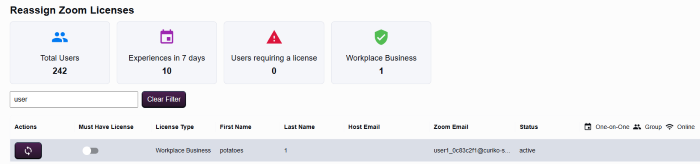
- Summary cards cover Total Users, Experiences in 7 Days, Users requiring a license, Workplace Business, and Unassigned counts.
- The Search Zoom Users input filters the list; use Clear Filter to reset the view.
Table Columns
- Actions
- Must Have License
- License Type (Workplace Business or Unassigned)
- First Name and Last Name
- Host Email and Zoom Email
- Status
Reassigning Licenses
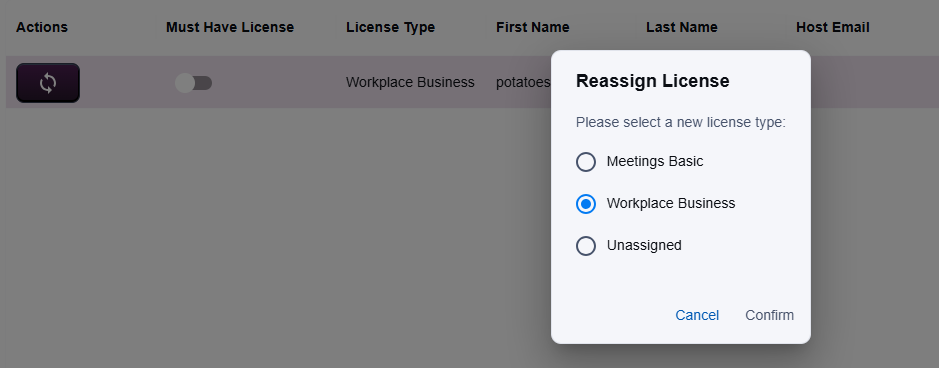
- Select Actions on the relevant row to open the Reassign License dialog.
- Choose the desired option (Meetings Basic, Workplace Business, or Unassigned).
- Changes are only applied when you click Confirm; selecting a radio button alone does not save.
- Always coordinate with hosts or program managers before confirming, because license updates affect scheduling.
- Use Cancel to close the dialog without altering the assignment.