
Events
Monitor scheduled events, adjust details, and review host, attendee, and Zoom information.
Events
The Events module tracks scheduled instances of experiences.
Dashboard Overview
- Metric cards show Total Events, Confirmed Events, and Cancelled Events.
- Use Search event(s)… to filter the grid by name.
- Table columns include Event Name, Status, Mode, Category, Host, and Start (date and time).

Managing Events
- Select a row to review or edit an event.
- Available actions include Edit and Host. Make sure to coordinate with hosts and participants before changing status of an event.

Creating Events
- Most events are generated automatically by experience schedules. Manual creation is uncommon.
Deleting or Cancelling Events
- Change the event status to Cancelled from the event detail view when an event must be withdrawn. Confirm the decision to avoid accidental cancellations.
Editing an Event
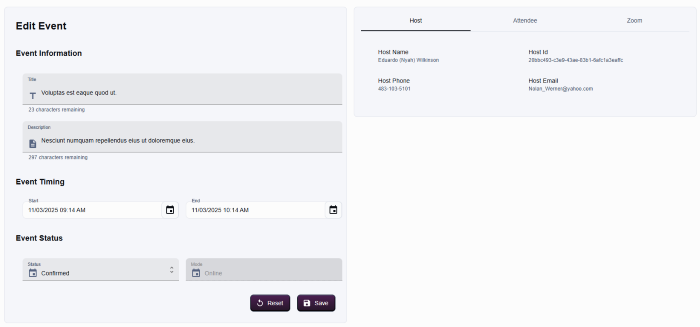
The edit panel is split between form fields on the left and tabs on the right.
Event Information
- Update Title, Description, Start, and End times with the date pickers.
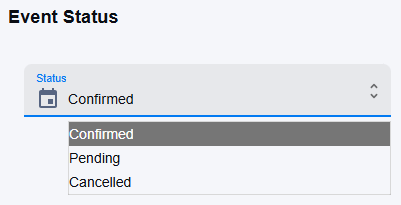
- Adjust Event Status (Confirmed, Pending, Cancelled) and Mode (Online or In Person).
- Use Reset to revert unsaved edits; use Save to apply changes.
Host Tab
- Displays the assigned host’s name, ID, phone, and email for quick verification.
- Host changes typically originate from the parent experience or Zoom license reassignment workflows.
Attendee Tab
- Lists attendees with columns for User, Name, and Role (host or participant).
- The View user link opens the participant profile in a new tab.
- The table is read-only; attendee changes occur through bookings or dedicated tooling.
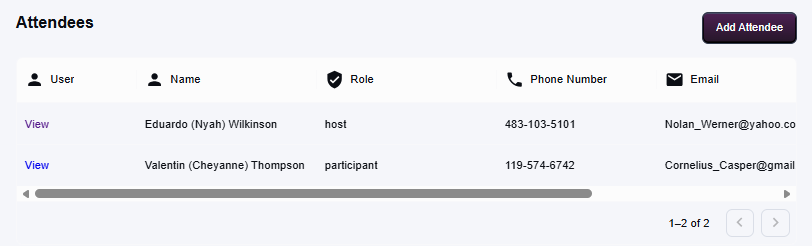
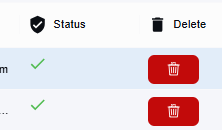
You can also delete attendees by clicking the Delete button at the end of each row.
Zoom Tab
- Stores meeting details for online sessions: Zoom Meeting ID, Link, Code, and Password.
- Use Save after verifying the credentials; Reset restores the previous values.