
Getting Started
Sign in to the Curiko Admin Portal, explore the navigation, and learn what each module covers.
Getting Started
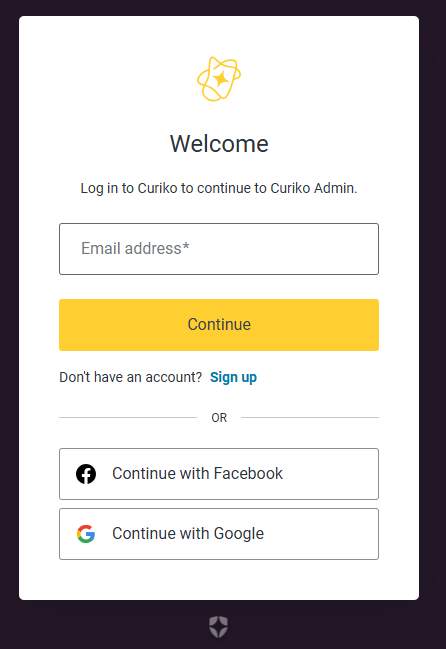
Accessing the Admin Portal
- Open the Curiko admin URL
https://admin.curiko.ca
. - Sign in with your admin credentials. The authenticated view displays the left-hand navigation menu automatically.
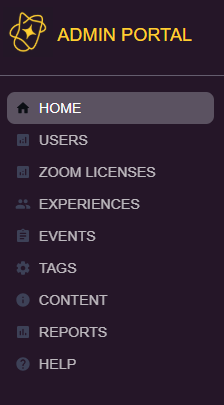
Navigation Overview
- The sidebar lists the major modules: Home, Users, Zoom Licenses, Experiences, Events, Tags, Content (separate login), and Reports.
- The active module is highlighted and its detail panel renders on the right.
- The lower-left corner shows the username of the current admin session.
Summary of Sections and Key Functions
| Section | Purpose or Key Features | Common Actions |
|---|---|---|
| Home | Overview of experiences, pending reviews, upcoming events, and new users | Review metrics, select items to drill into details |
| Users | Manage platform users | Search, view user details, verify welcome/criminal checks, edit eligible fields |
| Zoom Licenses | Allocate licenses to hosts | View license status, search, reassign licenses, toggle “must have license” |
| Experiences | Create and maintain experiences | Create new experiences, search, update status, publish or unpublish |
| Events | Manage individual event instances | Review status, edit, reschedule, or cancel when needed |
| Tags | Curate categorisation tags | Create tags, search, edit, confirm visibility |
| Reports | Explore analytics dashboards | View charts and apply filters |
| Content | Manage website and blog entries through Sanity | Requires separate Sanity login before editing |
Notes and Best Practices
- Confirm with stakeholders before using Save, Submit, Confirm, or Delete. Choose Cancel to discard tentative edits.
- Use search fields and filters within each module to locate the correct records quickly.
- Pay attention to status labels such as Published, Pending Review, Confirmed, or Cancelled; changing these can impact visibility for end users.