
Users
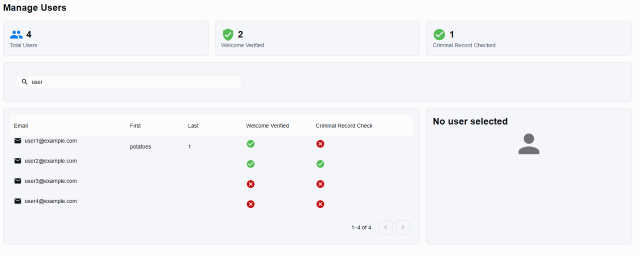
Review user metrics, search the directory, and understand what can be edited from the Users area.
Users
Navigate to Users to review the member directory and related metrics.
Metrics and Search
- Header metrics show Total Users, Welcome Verified, and Criminal Record Checked counts.
- The search bar finds users by name or email.
Table Columns
- First name
- Last name
- Welcome Verified status
Clicking a row opens the user detail view, where additional tabs provide host activity, attendance history, and chat logs when available.
Viewing and Editing a User
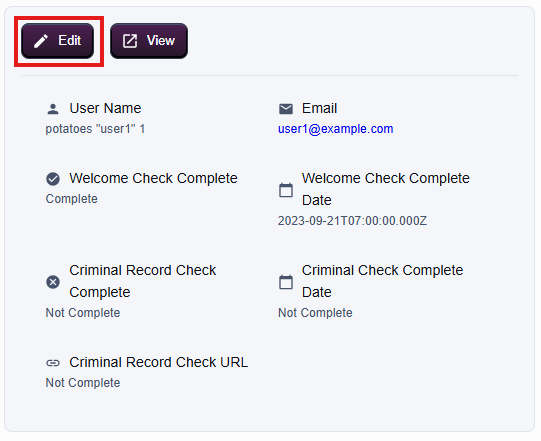
- Open Users and choose a record in the table.
- Select Edit to review the user profile tabs such as Host, Attendance, and Chat.
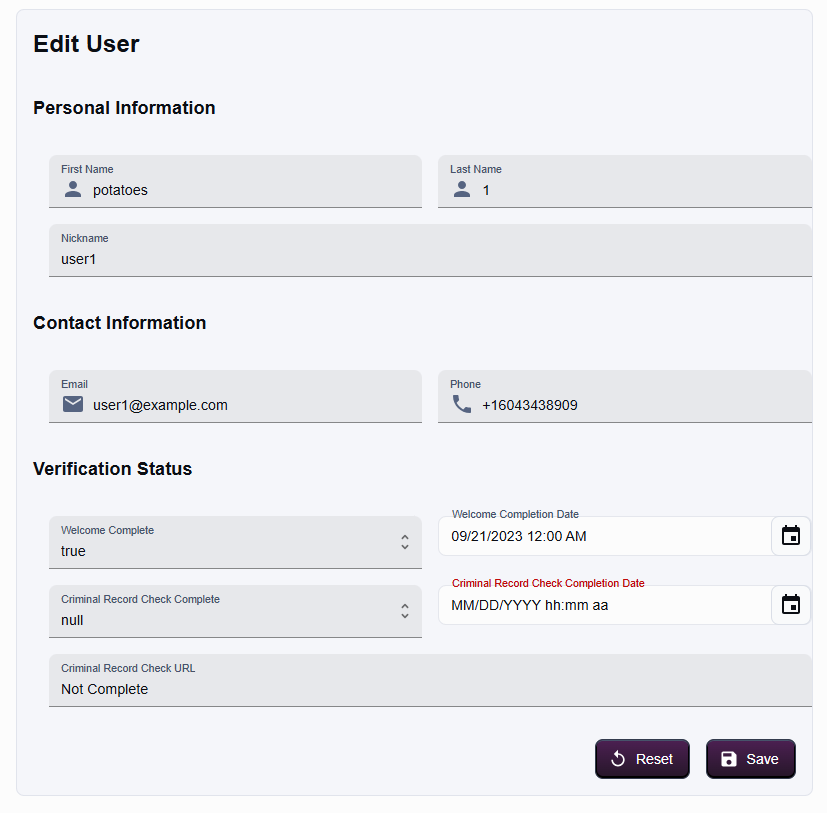
- The edit form also includes toggles for welcome and criminal record checks; confirm the correct status before saving.
Creating or Deleting Users
- New accounts are created through the public sign-up process; the admin panel does not provide a "New User" button.
- Deleting users is restricted to backend tooling or database operations and is not available in this UI.